Your flights are still out there
Airlines are not archivists. Log in to almost any frequent flyer account and you will find somewhere between twelve and thirty-six months of activity, and nothing before that. If you have been flying for a decade, the majority of your history is simply not on the screen in front of you.
It is, however, still recoverable, just scattered across half a dozen places you already have access to. This guide walks through each of them in the order that gets you the most flights for the least effort, and finishes by turning what you find into a single list you can actually use.
People usually arrive at this problem for one of five reasons: a visa or citizenship application asking for travel history, counting days for tax residency or a Schengen limit, claiming expenses, chasing missing frequent flyer miles, or simple curiosity about how far they have actually travelled. The method is the same for all of them.
Start with email: it beats everything else
Your inbox is the single richest source, for one boring reason: nobody deletes booking confirmations. They sit there for years, and each one contains everything you need: date, flight number, both airports, and often the aircraft type.
Search for these terms one at a time rather than all at once, because different airlines and agencies use different wording:
- "booking reference" and "booking confirmation": the most common phrasing
- "e-ticket" and "eticket": used by most legacy carriers
- "boarding pass": catches online check-in emails, which prove you actually flew rather than merely booked
- "itinerary": used heavily by online travel agencies
- "your trip to" and "flight confirmation": common in newer transactional templates
- "PNR": the industry term for a booking record, and a surprisingly effective catch-all
A tip that saves a lot of time: search by sender domain instead of by subject. Searching from:britishairways.com or from:latam.com pulls every message that airline ever sent you, including the ones with subject lines you would never have guessed.
Do this for every email address you have used, including old university or work accounts if you can still reach them. Bookings made a decade ago rarely went to the address you use today.
Watch for the trap: a booking confirmation proves you bought a ticket, not that you flew. Cancelled trips, changed flights and no-shows all leave confirmation emails behind. Where you have a matching check-in or boarding pass email, trust that instead.
Export your frequent flyer statements
Loyalty accounts give you the cleanest data of any source: dates, flight numbers, cabin and often distance flown, already structured. The catch is the retention window.
Log in to each programme you have ever joined and look for the section called "mileage statement", "activity", "my trips" or "flight history". Two things are worth doing while you are there:
- Export to CSV if the option exists. Several major programmes offer it, and it saves you retyping everything.
- Check the retention limit before you close the tab. If the account only shows 24 months, that tells you which years you will need to reconstruct from other sources.
If you are in the EU or UK, there is a stronger option that most people never use. Under GDPR you can submit a subject access request asking the airline for the personal data it holds about you. Airlines routinely retain far more in their internal systems than they surface in your online account, and they are obliged to respond, typically within one month. It is the only reliable way to recover flights from more than three years ago directly from the source.
Google Maps Timeline: the source people forget
If Location History was ever switched on for your phone, Google has been quietly recording your movements, and flights are trivially easy to spot in that data, because nothing else moves you 800 kilometres in ninety minutes.
This source is uniquely valuable because it captures the flights no other method finds: tickets booked through an agency that emailed you nothing useful, flights someone else booked for you, and work travel arranged by a corporate travel desk.
Use Google Takeout to export your Location History rather than scrolling the Timeline by hand. You will get a set of files organised by month, and the flight segments are labelled distinctly enough to pick out quickly.
Apple users have a rough equivalent in Significant Locations, though it retains far less and is much harder to export in bulk.
Travel apps you may have forgotten you used
If you used a trip tracker for even a year, it holds a structured history that will fill a gap in minutes:
- TripIt: if you ever forwarded confirmations to it, it parsed and stored them all
- App in the Air and Flighty: both keep detailed per-flight histories and offer exports
- Airline apps: often retain a local trip history separate from the website's loyalty statement
It is also worth checking whether your employer's travel platform still has your account. Corporate booking tools frequently retain several years of trip records that never touched your personal email.
Card and bank statements
Statements will not tell you which route you flew, but they do two things nothing else does: they confirm a trip happened, and they pin down when you booked it.
Export your statements to CSV (most banks support this) and filter for airline names, travel agencies, and the merchant category for airlines. Cross-referencing a charge with your photo library from that month is usually enough to reconstruct the route.
This is the source that catches the trips you have completely forgotten, which is more of them than you would expect.
Passport stamps and your photo library
For international travel before smartphones, your passport is the primary record. Entry and exit stamps give you dates and countries; the gaps between them tell you the shape of each trip.
Photograph every stamped page, including expired passports, then work through them chronologically. Pair this with a photo library sorted by date. Most phones and cloud services let you browse by month, and location-tagged photos will often identify the specific city, which converts a country into an airport.
This is the slowest method, so save it for the years the other sources could not reach.
Photos of old boarding passes, and passes still sitting in your phone's wallet, are worth more than they look: the barcode holds the route, the flight number and the seat. The boarding pass scanner reads them straight onto your map, and the boarding pass decoder shows everything else the code contains.
Turning it all into one list
By this point you will have flights in six different formats. The consolidation step matters more than it sounds, because a messy list is one you will abandon halfway.
Put everything in a single spreadsheet with these columns. Only the first three are genuinely required. Fill the rest where you have them and leave them blank where you do not:
- origin and destination: three-letter IATA codes such as JFK, or four-letter ICAO codes such as KJFK
- date: in
YYYY-MM-DDformat - flightnumber, airline, aircrafttype, aircraftregistration
- duration (minutes), departuretime and arrivaltime (
HH:MM) - cost, description, tags
Three rules that will save you rework:
- One row per flight sector, not per trip. A return journey with a connection each way is four rows, not one.
- De-duplicate on date plus route. The same flight will appear in your email, your loyalty statement and your Timeline. Sort by date and the duplicates line up next to each other.
- Do not stall on missing details. Origin, destination and date are enough to map a flight. You can always fill in the aircraft type later; you will never finish if you try to make every row perfect first.
For dates you genuinely cannot pin down, use the first of the month as a placeholder and tag those rows as approximate. A flight recorded with a slightly wrong date is far more useful than a flight left out entirely.
📥 Download the blank CSV template
What to do with the finished list
A spreadsheet answers the paperwork question, and for a visa application that may be all you need. But a list of airport codes is a poor way to look at your own life, and it hides the thing most people were actually curious about.
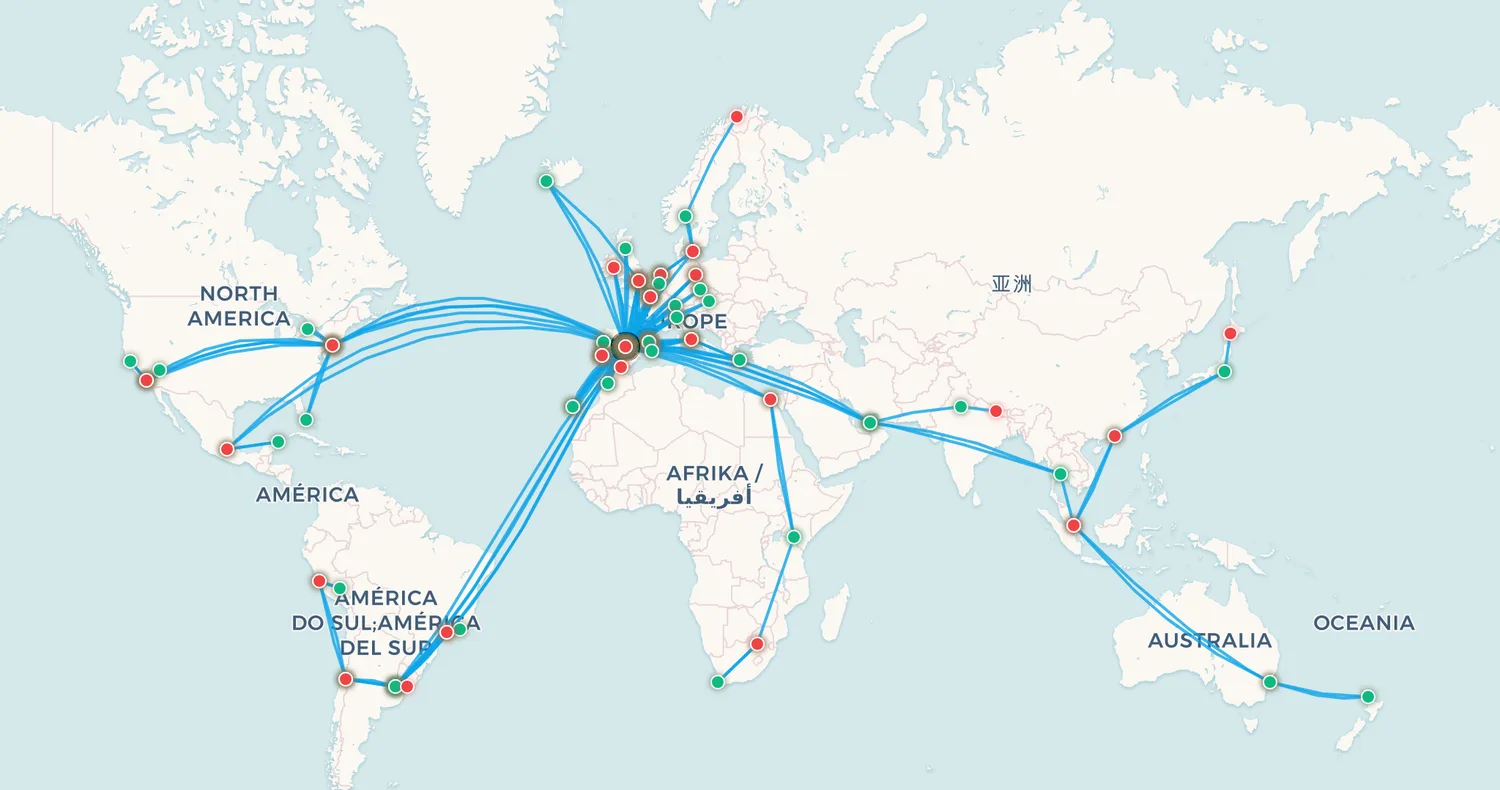
Once the flights are in a CSV, you can import the whole file at once and see the routes drawn on a map: every city pair you have connected, the countries you have touched, your longest sector and your total distance flown. It takes a few seconds and turns a compliance chore into something worth keeping.
My Flight Routes imports exactly the format described above, works without an account, and the map is the point rather than an upsell.
🗺️ Import your flight history and see it on a map
Frequently asked questions
How far back do airlines keep your flight history?
Most show 12 to 36 months in your online loyalty account. Internal systems often hold considerably more, and in the EU and UK a GDPR subject access request obliges the airline to provide the personal data it holds about you, which is the only dependable route to genuinely old records.
Can I do this without a frequent flyer account?
Yes. Email confirmations, card statements, Google Maps Timeline and passport stamps between them cover most trips taken without a loyalty programme. Start with email; it is usually the most complete.
How do I prove travel history for a visa?
Most applications accept a written list of trips with dates and destinations, supported by passport stamps. Keep the original confirmation and boarding pass emails alongside the list. They are the stronger evidence if a specific entry is questioned.
Can I still claim miles for old flights?
Often, within a limit. Most programmes accept retroactive claims for six to twelve months after travel and ask for a ticket number or boarding pass, which is one more reason to recover those emails before you start.
How long does the whole process take?
For most people, an evening. Email and loyalty statements typically produce 70 to 80 percent of the flights within the first hour; the remainder comes from Timeline, statements and passport stamps, and that is the part worth spreading over a few sittings.
Put your flight history on the map
Once you have recovered your flights, add them to My Flight Routes to see every trip drawn on a single map, with the distances you have covered, the countries you have reached and the routes you have flown most.