Map My Flights - Track Every Flight You've Ever Taken
Stop keeping your flight history scattered across emails and boarding passes. Map all your flights on one beautiful, interactive world map. Add flights quickly, bulk import from CSV and instantly visualize your complete travel history with comprehensive statistics and AI-powered insights.
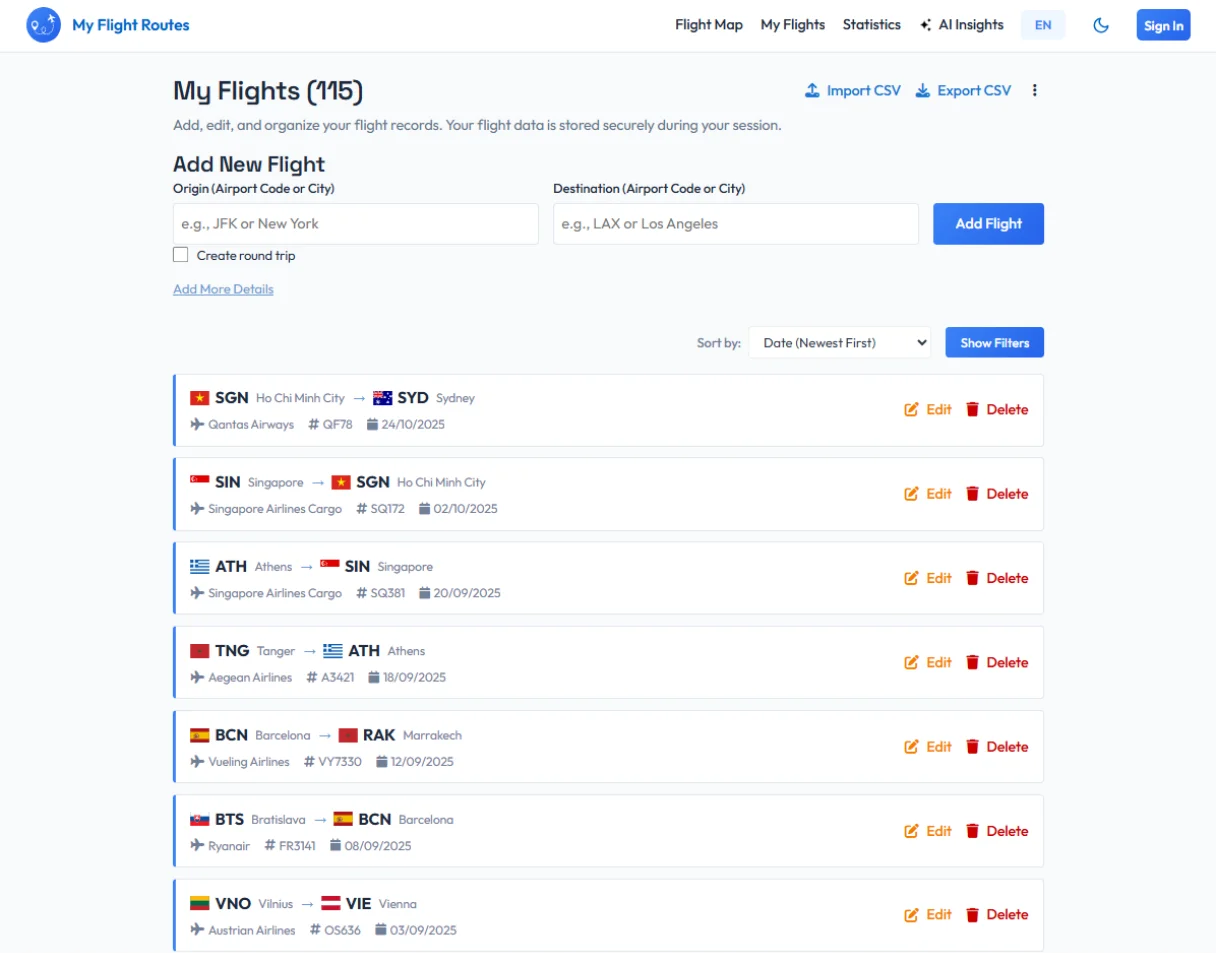
Preview of the flight list page.
Track Flights at Scale
- Quick Entry: Add flights with just airports and a date or go deep with times, flight numbers, notes and more
- Bulk Import: Have 100 flights? Import them all at once from a CSV file, or paste another app's export and let AI find the flights. Perfect for migrating from other apps
- Instant Statistics: See total flights, total distance, countries visited, favorite airlines, flight hours, and more, all calculated automatically
- Activity Calendar: View your flight activity throughout the year with a heat map showing which days you flew
- Trend Analysis: Discover patterns: your busiest month, longest flight, most visited airport, most frequent route
Go Deeper With AI Insights
Open AI Insights and meet your travel personality: a title, a short story of how you fly and highlight cards for your longest flight, home airport and favourite airline, written by AI from your own flights. Create a free account to ask your flights questions in plain words, like "Where have I been only once?".

Preview of AI-powered insights for your flights.
Share Your Journey
- Generate unique shareable links to show friends and family your complete flight map
- Perfect for travel blogs, social media, or just impressing your friends with your global wanderlust
- Your map stays up-to-date as you add new flights
Why My Flight Routes
- Faster than competitors: Add flights and see results instantly, no slow interfaces
- Beautiful visualization: Your map comes alive with animated routes and flying plane markers
- Privacy first: Start offline, keep your data local, or sync to cloud whenever you want
- Free: no subscription, 200 flights on a free account, and 5,000 with a one-off upgrade
FAQ
What's the fastest way to add lots of flights?
Use our interactive mode for fast visual entry (click airports on the map), bulk import with CSV for maximum speed, or type airport codes if you know them. Interactive mode is perfect for adding multiple recent flights in minutes.
Can I add flights from different trips at different times?
Absolutely! My Flight Routes has no time restrictions. Add flights from yesterday or 10 years ago, just enter the airports and date. Sort by date, filter by country or airline, and track your complete history regardless of timespan.
How long does it take to import 100+ flights from CSV?
Seconds. Prepare your CSV file (airport codes and dates), upload it, and all flights appear on your map instantly. Perfect for logging your entire history at once, and if your flights are in another app's export or a booking email, AI import finds them for you.
Try it instantly - no account required